rahabandot Casino & Sportsbook Mobile App
We at rahabandot offer mobile access to slots, live casino tables, and sportsbook markets through Android, iOS, and web platforms. Our app keeps your account, deposits, and withdrawals within reach across Jakarta, Surabaya, Bandung, Medan, Semarang, and other supported regions where local law permits.
- DownloadAPK
- Update
- and
- StartFirst Game
Mobile-first design means faster load times, offline caching for slot tournaments, and push notifications for live events. Whether you use Android, iOS, or a web browser, we maintain the same account, payment methods, and game library across all devices.
Our services on rahabandot are available only where local law permits. We do not offer our platform in jurisdictions where online gaming is prohibited. Users are responsible for verifying that access and use comply with the laws of their own jurisdiction.
How to access rahabandot on mobile
We provide three installation paths: direct Android APK download, iOS browser access, and a progressive web app (PWA) for all devices. Each method connects to the same rahabandot account and game library.
Installation steps
- Download the rahabandot app file or open our web address in your browser.
- Follow the on-screen prompts to install or add to your home screen.
- Log in with your rahabandot account or create a new one.
- Start playing slots, live casino, or placing sportsbook bets immediately.

App vs. browser experience
Our native app for Android offers offline slot-tournament schedules, faster game loading, and push notifications for Liga 1 and Piala AFF matches. The web app works on any device with a modern browser and syncs your account in real time. Both paths support DANA, e-wallet, mobile banking, local payment, and bank transfers. Browser access requires an internet connection; the app caches essential data so you can review your account history and upcoming tournaments even offline.
Device compatibility
We support Android 7.0 and later on phones and tablets. iOS users can access rahabandot through Safari, Chrome, or any modern browser on iOS 12 and above. Web app access works on desktop, laptop, and mobile browsers. If your device is older than these versions, we recommend updating your operating system or using a different device to ensure smooth gameplay and secure account access.
Common installation issues
If the APK does not install, check that your device allows installation from unknown sources. On iOS, if the web app does not save to your home screen, try using Safari and selecting "Add to Home Screen" from the share menu. If you see a certificate warning, this is normal for direct downloads; proceed with installation. If the app crashes after opening, clear your browser cache or reinstall the APK. For persistent issues, contact our support team with your device model and operating system version; we respond during business hours in English.
Data, permissions, and account security
We at rahabandot request only the permissions necessary to process deposits, send notifications, and verify your account. The app does not access your contacts, photos, or location without your explicit consent. All account data is encrypted in transit and at rest. When you log in, we verify your identity using your registered email and mobile number. If you lose access to your account, our support team can help recover it using your KYC documents (ID card, proof of address). We keep your payment methods secure and never store full card numbers on your device.
Payment methods on mobile
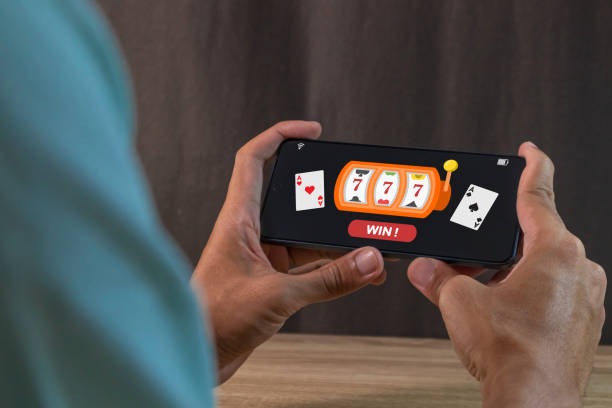
Deposits on rahabandot via mobile work the same as on desktop. We accept online payment, e-wallet, mobile banking, local payment, online payment, e-wallet, and direct bank transfers from mobile banking, local payment, online payment, and e-wallet. Tap the Deposit button, select your payment method, and follow the bank or e-wallet prompt. Withdrawals go to your registered account within standard processing windows. If a withdrawal is delayed, check your account status and KYC verification; incomplete documents may hold the request. Contact our support team if you need help with a pending withdrawal.
App strengths
- Offline tournament schedules and game history
- Push notifications for live events and withdrawals
- Faster load times and smoother gameplay
Browser limitations
- Requires active internet connection at all times
- No push notifications for live updates
Weak network and offline access
On slow connections, the rahabandot app loads game assets progressively so you can start playing without waiting for full downloads. The web app works on 4G and WiFi; on 3G, expect longer load times. If your connection drops during a game, we save your session so you can resume when reconnected. Slot tournament schedules and your account balance are cached locally, so you can review them offline. Live casino and sportsbook require an active connection to place bets and see game information.
Support and troubleshooting
Our support team at rahabandot responds to app and account issues during business hours in English. If the app crashes, try clearing the app cache or reinstalling. If you cannot log in, verify your username and password, then use the password-recovery link. If deposits or withdrawals fail, check your KYC status and ensure your payment method is active. For technical issues specific to your device, include your operating system version and device model when you contact us. We aim to resolve most issues within one business day.
Why rahabandot on mobile matters
Mobile access to rahabandot means you can play Aviator, Sweet Bonanza, Gates of Olympus, and Fortune Tiger during your commute or downtime. Live casino tables and sportsbook markets for Liga 1, Piala Indonesia, and Piala AFF are always available. Your account, balance, and payment methods stay synchronized across all devices. Whether you start on mobile and finish on desktop, or vice versa, your progress is never lost. We at rahabandot prioritize mobile performance so you get the same experience on a phone as on a computer.
Getting started
If you do not yet have a rahabandot account, download the app or visit our web address and tap "Open an account." Provide your email, mobile number, and a password. Upload your ID card and proof of address for KYC verification. Once approved, you can deposit via mobile banking, local payment, online payment, e-wallet, or bank transfer and start playing immediately. If you already have an account, simply log in with your credentials and your account will sync across all devices.